

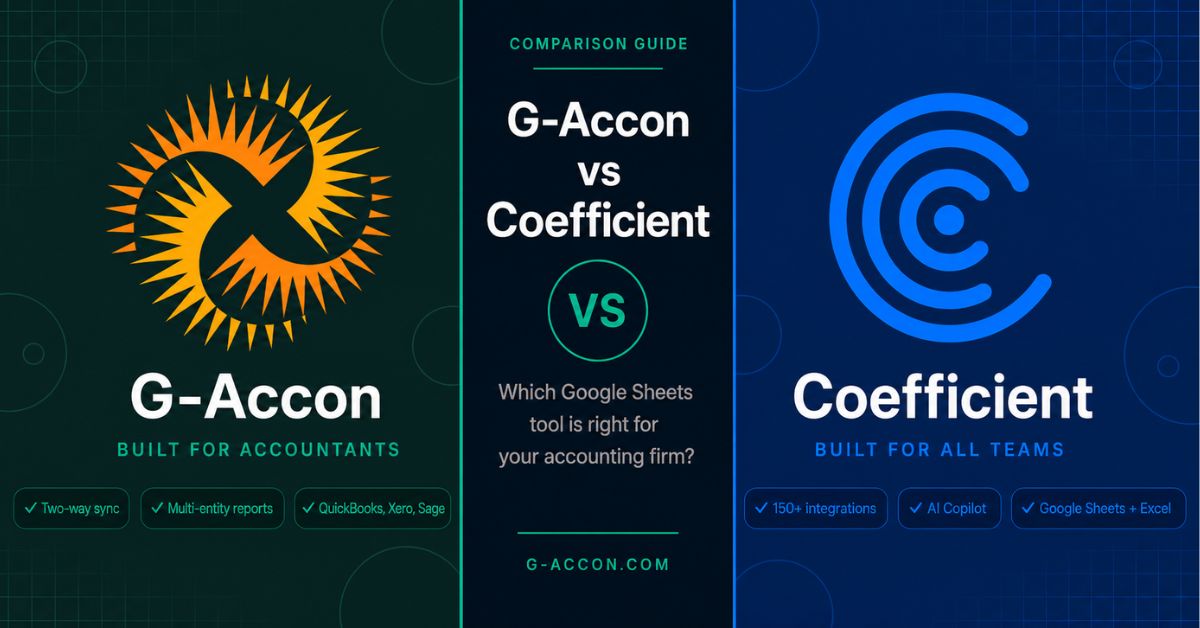
G-Accon is built for one job: accounting. Coefficient is built for everything else. Both tools connect your data to Google Sheets, but they serve very different people.
If you manage client books in QuickBooks or Xero, G-Accon gives you capabilities Coefficient simply does not offer. If you need Salesforce pipeline data living next to your QuickBooks actuals, Coefficient is the stronger pick.
The single biggest difference is not the price or the integrations list. It is sync direction. G-Accon reads data from your accounting software and writes changes back.
Coefficient now offers two-way sync for QuickBooks, but remains read-only for Xero. That distinction still matters for Xero-based practices, and it determines what you can actually do with each tool on a real Monday morning.
G-Accon vs Coefficient at a Glance
| G-Accon | Coefficient | |
|---|---|---|
| Best For | Accounting firms & bookkeepers | Multi-dept teams, RevOps, FP&A analysts |
| Accounting Platforms | QBO, Xero, Sage, FreshBooks, Xero PM | QBO, Xero, NetSuite, Sage Intacct |
| Sync Direction | Full two-way (reads AND writes back) | Two-way sync for QuickBooks; read-only for Xero and other accounting platforms |
| Multi-Entity Consolidation | Built-in: auto mapping, eliminations, 170+ currencies | Manual: build your own spreadsheet formulas |
| Spreadsheet Platform | Google Sheets only | Google Sheets + Microsoft Excel |
| Non-Accounting Data | Not supported | Salesforce, HubSpot, Snowflake, 150+ more |
| AI Assistant | None | GPT Copilot (formula & chart generation) |
| Pricing Model | Per firm, per accounting product | Per user per month |
| Entry Price | ~$60/mo (Business, monthly billing) | $49/mo (Starter, 1 user) |
| Free Trial | 14 days | 30 days (Pro plan) |
| SOC 2 Type 2 | Yes (via Sensiba LLP) | Not publicly confirmed |
| GDPR Compliant | Yes | Yes |
*G-Accon pricing is per accounting product per month, verified against the live pricing page. Pricing shown is for monthly billing. Annual billing reduces rates. See the Pricing section for full details. Verify current rates at g-accon.com/pricing before making a decision.
What Is G-Accon?
G-Accon is a Google Sheets add-on for accountants, bookkeepers, and finance teams that run their practice on cloud accounting software. It was built in 2017 and is headquartered in Novi, Michigan.
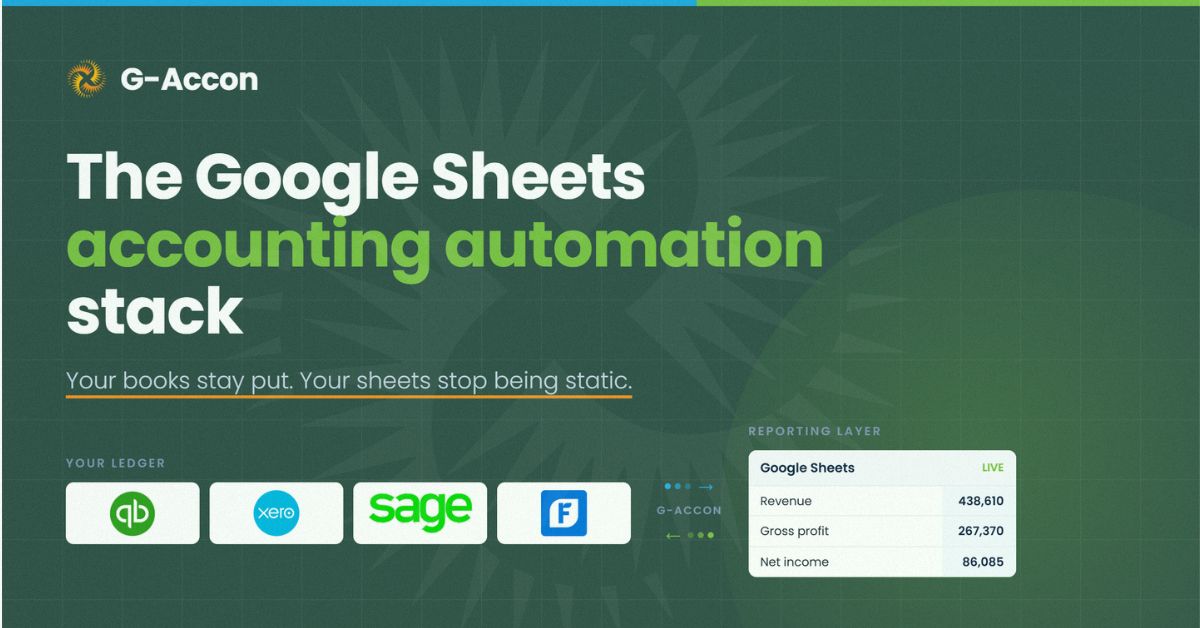
The platform connects to QuickBooks Online, Xero, Sage, FreshBooks, and Xero Practice Manager, giving you a direct live link between your accounting data and your spreadsheet.
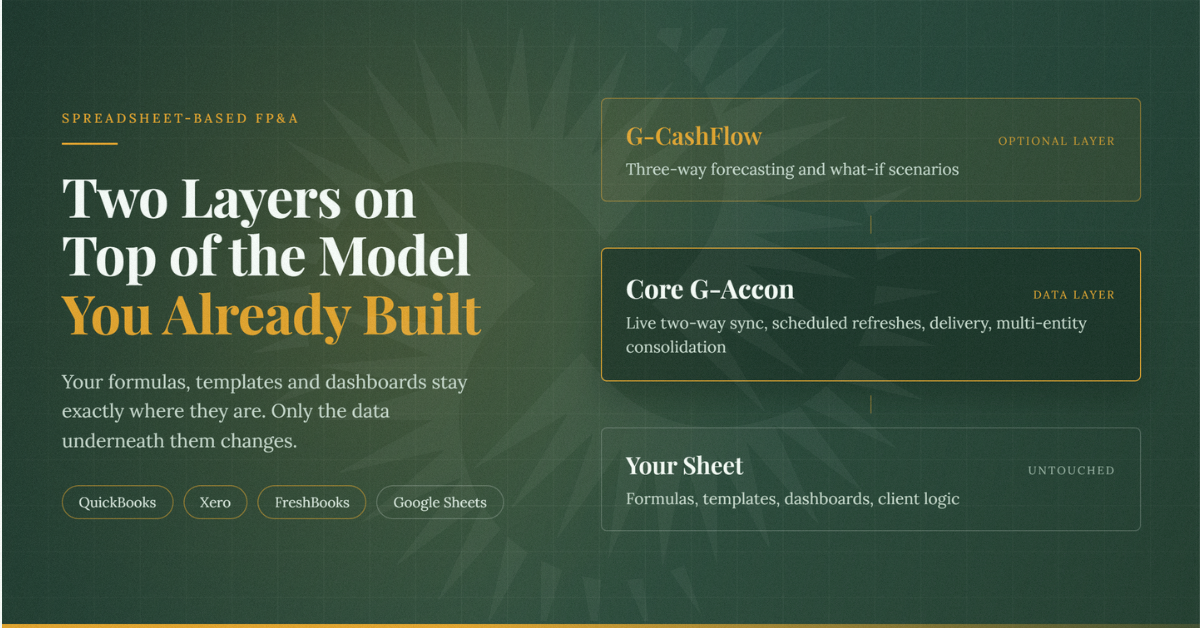
The QuickBooks integration and Xero integration are not read-only connections. You can pull invoices, transactions, bank feeds, payroll records, and journal entries into Google Sheets, make edits directly in the sheet, and push those changes back to your accounting software in bulk.
That two-way workflow is G-Accon's core value proposition, and it is one that no other tool in this comparison matches for accounting-specific platforms.
G-Accon holds Intuit Platinum App Partner status and Xero Premium Partner status. These are not marketing titles. They reflect deep, certified API access and ongoing platform alignment that puts G-Accon among a small group of tools with verified integration depth.
As of 2025, G-Accon won two Xero Global App Awards, including Global Practice App of the Year. It carries SOC 2 Type 2 attestation (via Sensiba LLP) and GDPR compliance, which matters for any firm handling sensitive client financial data.
The platform currently serves more than 10,000 businesses and accounting firms. Reviews on G2 consistently highlight the reliability of the automated refresh schedules, the strength of the multi-entity consolidation tools, and the time saved on month-end close.
Where users flag friction, it is usually around the learning curve for initial setup and the per-product pricing model when a firm uses both QuickBooks and Xero.
One thing G-Accon does not do: it has no connection to anything outside accounting. No CRM, no advertising platforms, no data warehouses. It also runs only in Google Sheets. There is no Excel add-in, and none has been publicly announced.
What Is Coefficient?
Coefficient is a data connectivity platform for Google Sheets and Excel. Where G-Accon goes deep into accounting, Coefficient goes wide across the business.
It connects to more than 150 data sources, including QuickBooks, Xero, NetSuite, Sage Intacct, Salesforce, HubSpot, Google Ads, Facebook Ads, Stripe, Snowflake, BigQuery, Looker, Tableau, and many more. For teams that need to pull data from across their entire tech stack into one spreadsheet, that breadth is a genuine advantage.
Coefficient reports over 50,000 companies and 700,000 users on its platform. On G2, it holds a strong rating, with users frequently praising the ease of connecting Salesforce and HubSpot data and the automated refresh schedules.
Some users note that the per-seat pricing gets expensive quickly when multiple team members need access, and that handling very large datasets can slow performance.
One of Coefficient's standout features is the AI Sheets Assistant, also called GPT Copilot. It is powered by ChatGPT, Claude, and Gemini and sits as a sidebar inside your spreadsheet.
You can ask it to write formulas, build charts, explain data patterns, or generate reports in plain language without leaving Google Sheets. G-Accon offers no comparable AI feature, and this guide will not pretend otherwise.
Coefficient also runs in Microsoft Excel, which G-Accon does not. You install it through Microsoft AppSource and get the same core data connectivity you would in Sheets. Not every feature has reached Excel parity yet, but for teams in mixed spreadsheet environments, the option exists.
Here is the nuanced picture: Coefficient now lists QuickBooks as a two-way sync connector on its integrations page, meaning you can push new entries back to QuickBooks Online. However, Xero remains a read-only connection in Coefficient.
You can import your accounting data and set it to auto-refresh on a schedule, but you cannot push edits or new records back to your ledger from Coefficient.
For a sales team pulling QuickBooks data into a dashboard, that is fine. For a bookkeeper who needs to clean up 200 transactions and post them back to QuickBooks, that is a hard wall.
Data Sync: Two-Way vs Read-Only
This is the decision point for most accounting professionals. It sounds like a technical detail. It is not. It determines whether your spreadsheet is a reporting layer or a working tool.
With G-Accon, the connection between Google Sheets and your accounting software runs in both directions.
You pull data from QuickBooks or Xero into your sheet. You work on it there. When you are ready, you push your changes back. This means you can correct miscategorised transactions in bulk without logging into QuickBooks.
You can update invoice statuses, import new bills, fix journal entries, or run bulk vendor updates, all from a spreadsheet you already know how to use. For a bookkeeper managing five or ten clients, the time savings on tasks like this add up fast.
Coefficient works differently. When you connect QuickBooks or Xero through Coefficient, data flows one way: from your accounting software into your spreadsheet.
Coefficient is very good at this. The imports are clean, the scheduling is flexible, and the filtering options let you pull exactly the data slice you need. But once the data lands in your sheet, your changes stay in the sheet. Coefficient does not write back to accounting platforms.
It is worth being precise here, because Coefficient does support two-way sync for some of its connectors. Salesforce and certain CRM platforms allow write-back. Per Coefficient's integrations page, QuickBooks now lists as two-way sync. The read-only limitation applies to Xero and other accounting platforms.
For teams that only need reporting, the read-only limitation is not really a limitation at all. You pull the data, you build your dashboard, your sheet refreshes automatically. But if your workflow ever involves touching the ledger, not just reading it, this is the gap that matters most between these two tools.
Multi-Entity Consolidation: Built-In vs DIY Formulas
Accounting firms almost always manage books for more than one client. Multi-entity consolidation — combining financial data from multiple organisations into a single report — is one of the most time-consuming tasks in the practice.
It involves mapping chart of accounts across entities that often use different numbering systems, eliminating intercompany transactions that would otherwise double-count, and handling currency conversions when clients operate in more than one country. G-Accon's multi-entity consolidation tools handle all of this automatically.
In G-Accon, you set up your chart of account mapping once. The tool handles the intercompany eliminations. Currency conversion across more than 170 currencies is built in. When you run a consolidated P&L or balance sheet across ten client entities, G-Accon assembles it for you.
You are not building lookup formulas or SUMIF arrays to match account codes between companies. The consolidation logic lives in the tool, not in your spreadsheet.
Coefficient does not have a consolidation module. You can connect multiple QuickBooks or Xero organisations to a single spreadsheet, and you can import data from all of them simultaneously. But when it comes to combining those datasets into a consolidated statement, you are on your own.
You build the account mapping in formulas. You manage eliminations manually. You write the currency conversion logic yourself. For a skilled finance professional, this is doable. For a firm doing this every month across 20 or 30 clients, it is a significant amount of recurring manual work.
The comparison Coefficient makes on its own website is worth noting here. Coefficient positions itself as the broader platform and acknowledges that G-Accon goes deeper on accounting-specific workflows. Multi-entity consolidation is one of the clearest examples of that depth.
If consolidated reporting is a regular part of your practice, the built-in tooling in G-Accon is not a minor convenience. It is a core workflow that you would otherwise be rebuilding in Coefficient from scratch.
Integrations: Accounting Depth vs Business-Wide Breadth
G-Accon Integrations
G-Accon connects to five platforms: QuickBooks Online, Xero, Sage, FreshBooks, and Xero Practice Manager. Within each of those platforms, the integration goes deep.
The Xero Practice Manager integration is a strong example: it gives accounting firms access to job data, time entries, client records, and staff information alongside their financial data, which is a combination few other tools can match for Xero-based practices.
Inside QuickBooks and Xero, you have access to far more than just reports. You can pull transaction-level data, accounts, contacts, invoices, bills, journal entries, payroll records, and bank feeds. And again, you can write back.
This level of access inside accounting platforms is why G-Accon's integration footprint looks small compared to Coefficient's but serves accounting professionals better than a tool connecting to 100 platforms ever could.
G-Accon also integrates with Zapier, Make, n8n, and Google Apps Script on higher-tier plans, which allows firms to build automations around G-Accon's data, such as triggering a report refresh when a new invoice is paid or sending a client report by email on a schedule.
Coefficient Integrations
Coefficient connects to more than 150 systems. That includes the accounting platforms already mentioned (QuickBooks, Xero, NetSuite, Sage Intacct) as well as a long list of sales, marketing, and data infrastructure tools. For a CFO or FP&A analyst who needs to combine QuickBooks revenue data with Salesforce pipeline, Google Ads spend, and Snowflake warehouse data in one sheet, Coefficient makes that possible without custom engineering work.
Two things worth flagging. First, NetSuite is available in Coefficient but not in G-Accon. If your clients or your own organisation runs NetSuite, G-Accon is not an option, and Coefficient fills that gap. Second, the most powerful data sources in Coefficient, including Snowflake, NetSuite, BigQuery, Tableau, Looker, and Sage Intacct, are classified as premium sources.
They are only available on the Enterprise plan, which means custom pricing conversations. Standard plans connect to QuickBooks, Xero, Salesforce, HubSpot, and similar platforms without that restriction.
For an accounting firm whose entire universe is QuickBooks and Xero clients, Coefficient's 150-plus integrations are largely irrelevant. They are not paying for the connections they do not use, but they are also not getting accounting-specific depth in return. For a business with a diverse tech stack, those integrations change what is possible with a spreadsheet.
Google Sheets vs Excel Support
G-Accon is a Google Sheets add-on. That is the complete extent of its spreadsheet support. If your firm operates entirely in Google Workspace, this is not a problem. If any part of your workflow or client delivery happens in Excel, G-Accon cannot help you there.
Coefficient runs in both environments. You install it in Google Sheets through the Google Workspace Marketplace and in Microsoft Excel through Microsoft AppSource. The core data import functionality is available in both. Feature parity is not complete yet.
Alerts and some AI assistant features are still rolling out to the Excel version. But for a team that works across both platforms, or for a firm whose clients expect Excel-formatted deliverables, Coefficient offers flexibility G-Accon currently does not.
This is worth stating plainly: if you or your clients use Excel, Coefficient has a genuine advantage here. G-Accon has not announced an Excel integration publicly, and that absence is a real limitation for some firms. If your entire practice runs on Google Workspace and you have no Excel requirement, the distinction does not apply. But do not assume it away without checking your own environment.
Pricing: Per-Firm vs Per-Seat
How a tool charges you shapes what it actually costs at scale. G-Accon charges per accounting product per month, with tiers based on how many client companies you manage. Coefficient charges per user per month. Those two models produce very different outcomes depending on the size and structure of your team.
G-Accon Pricing
G-Accon plans are priced per accounting product, meaning QuickBooks and Xero are each billed separately. Annual billing brings rates down by roughly 17%. See current figures at g-accon.com/pricing, and note that these figures should be verified before making a purchase decision, as pricing can change.
| Plan | Monthly Price* | Client Companies | Users |
|---|---|---|---|
| Business | ~$60/mo | Up to 3 | 1 |
| Accountant | ~$150/mo | Up to 25 | 5 |
| Advisor | ~$300/mo | Up to 50 | 10 |
| Enterprise | ~$450/mo | Up to 250 | Unlimited |
On the Accountant plan at around $150 per month, a firm manages up to 25 client companies with 5 users. That works out to $6 per client per month across a 25-client book of business. At the Advisor level, you get up to 50 companies and 10 users for around $300 per month.
If you use both QuickBooks and Xero integrations, you pay for both separately, so a firm on the Accountant plan connecting both platforms pays closer to $300 per month combined.
A Plus add-on (roughly 30 percent on top of any plan) unlocks event-driven automations, Zapier and Make integrations, custom refresh triggers via Google Apps Script, and compatibility with AI agents. For firms building automated client reporting workflows, this is worth evaluating.
Coefficient Pricing
Coefficient's pricing is per seat. The Free plan covers one user with up to three standard data sources and manual refreshes only. Paid plans scale by user count.
| Plan | Price | Users | Standard Sources |
|---|---|---|---|
| Free | $0/mo | 1 | Up to 3 |
| Starter | $49/mo | 1 | Up to 3 |
| Pro | $99/user/mo | Up to 5 | Up to 6 |
| Enterprise | Custom | Unlimited | Unlimited |
The Pro plan at $99 per user per month supports up to five users. A five-person accounting team on Pro pays $495 per month. That same team on G-Accon's Accountant plan pays around $150 per month and manages up to 25 clients. As team size grows, the per-seat model in Coefficient becomes expensive quickly. A G2 reviewer noted this directly: "It can get expensive so we only have 1 user who can set these sheets up."
One important note on Coefficient's premium sources: NetSuite, Snowflake, BigQuery, Tableau, Looker, and Sage Intacct are only available on the Enterprise plan. If those platforms are part of your workflow, the Starter and Pro plans will not cover them, and you will need to contact Coefficient for a custom quote.
Coefficient offers a 30-day free trial on the Pro plan, compared to G-Accon's 14-day trial. If you are on the fence between them, both trial periods are long enough to run a real workflow and evaluate which fits your practice.
Which Should You Choose?
Coefficient's own comparison page frames the G-Accon vs Coefficient decision as specialisation versus extensibility. They are right. The question is which one you need.
Choose G-Accon If…
- Your work is the books. You are an accountant, bookkeeper, or finance lead whose job is managing QuickBooks or Xero data for clients or for your own organisation. G-Accon was built specifically for this workflow.
- You need to write back to your accounting software. If you ever bulk-edit transactions, correct records, import new invoices, or push journal entries from a spreadsheet back to QuickBooks or Xero, G-Accon is the only tool in this comparison that lets you do that.
- You run multi-entity reporting. If you consolidate financial data across multiple clients or business units every month, G-Accon's built-in consolidation tools — including automatic chart-of-account mapping, intercompany eliminations, and 170-plus currency support — will save you significant time compared to building that logic yourself.
- You manage more than a handful of clients. G-Accon's per-firm pricing scales with client capacity, not headcount. As your book of business grows, the cost-per-client stays manageable.
- Compliance is a requirement. G-Accon holds SOC 2 Type 2 attestation and GDPR compliance. For firms handling sensitive client financial data, those certifications matter.
- You are all in on Google Sheets. If your firm runs on Google Workspace and has no Excel requirement, G-Accon's Sheets-only approach is not a constraint.
Choose Coefficient If…
- You need to blend accounting data with other business systems. If your reporting combines QuickBooks revenue with Salesforce pipeline, Google Ads spend, or HubSpot deal data, Coefficient pulls all of that into one sheet. G-Accon cannot.
- You use NetSuite or Sage Intacct. G-Accon does not connect to NetSuite. If your organisation or clients run on NetSuite, Coefficient covers it. Sage Intacct is also available in Coefficient, though only on the Enterprise plan.
- Your team works in Excel as well as Sheets. Coefficient runs in both environments. If any part of your delivery involves Microsoft Excel, Coefficient gives you that flexibility.
- You want an AI assistant in your spreadsheet. Coefficient's GPT Copilot can write formulas, build charts, and interpret your data in plain English from inside Sheets or Excel. G-Accon has no equivalent feature.
- You are a CFO or analyst with a cross-functional data brief. If your job involves pulling data from across the business, not just the ledger, Coefficient's breadth is a genuine advantage. A CFO blending Salesforce, Google Ads, and QuickBooks data into one report is exactly the user Coefficient was designed for.
- You only need to read from QuickBooks or Xero, not write back. If live reporting and dashboards are all you need from your accounting data, Coefficient's read-only connection does that cleanly and at a lower per-seat entry point.
Try G-Accon Free for 14 Days
Connect QuickBooks or Xero to Google Sheets in minutes. Automate your reports, consolidate multiple clients, and push changes back to your ledger without leaving your spreadsheet. No credit card required.